

New Haven Elementary Technology
mrsprusik.com
  • DK-K WK 26
    • DK-K WK 25 >
      • DK-K WK24
      • DK & Kdg 22/23
      • DK & Kdg 21 >
        • DK & Kdg 20 >
          • DK & Kdg W18/19 >
            • DK & Kdg W17 S2
  • G1 WK26
    • G1 WK25 >
      • G1 WK24
      • Grd 1 W22/23
      • Grd 1 W21
      • Grd 1 W20 >
        • Grd 1 W18/19 >
          • Grd1 Wk 16
  • G2 WK26
    • G2 WK25 >
      • G2 WK24
      • Grd2 W22/23
      • Grd 2 W21
      • Grd 2 W20 >
        • Grd 2 W18/19 >
          • Grd 2 W17
  • G3 WK26
    • G3 WK25 >
      • G3 WK24 >
        • Grd 3 W22/23 >
          • Grd 3 W21 >
            • Grd 3 W20 >
              • Grd 3 W18/19 >
                • Grd 3 W17
  • G4 WK26
    • G4 WK25 >
      • G4 WK24 >
        • Grd 4 W22/23 >
          • Grd 4 W21 >
            • Grd 4 W20 >
              • Grd 4 W18/19 >
                • Grd 4 W17 >
                  • Grd 4 W16
  • G5 WK26
    • G5 WK25 >
      • G5 WK24 >
        • Grd 5 W22/23 >
          • Grd 5 W21 >
            • Grd 5 W20 >
              • Grd 5 W18/19 >
                • Grd 5 W17
  • Holidays
    • October Holiday Games
    • November Holiday Games
    • December Holiday Games
    • January Holiday Games
    • February Holiday Games
    • March Holiday Games
    • April Holiday Games
    • May Holiday Games
    • June Holiday Games
  • Virtual Field Trips
  • Bookshelves
    • September Bookshelf
    • November Bookshelf
    • October Bookshelf
    • January Bookshelf
    • February Bookshelf
    • March Bookshelf
    • April Bookshelf
    • May Bookshelf
    • June Bookshelf
  • TECH Day Fun
  • Lab Rules
  • Coding
Picture
Picture
Picture
Picture
         Target Goals: 
  • Students will demonstrate Computer Lab rules and respect for equipment
  • Students will learn to input username & password ​
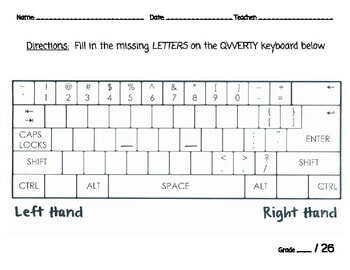
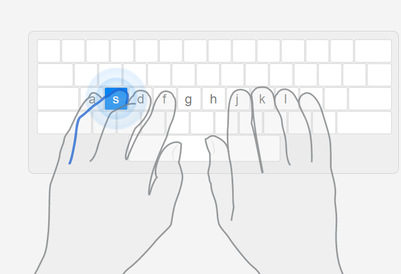
  • Students will practice Keyboarding and demonstrate understanding of home row and hand placement
  • ​Students will demonstrate proper use of vocabulary 
  • Students will demonstrate and understand logging into Google Classroom and the use of Google slides while changing font, inserting pictures, animating pictures ​

Picture
 ​

Activities 
​Week of 
  Activities 
​Week of 
  January 22 - 26


1. Login to Clever 

1. ​Typing Club (10 minutes)
2. Go to Clever and click on C0de.org start your new course
Log out of Clever before Free time or leaving 


3. If Free Time 
​​then
​​
Coding (Stitch)
Keyboarding (Crush)
Internet Safety Games (Sloth)
January Book Shelf 
 Word Search Technology Vocabulary​

​​

1. Clever/Typing Club ​​
Picture
Step 1: Click here Login to Clever
Picture
Step 2: Click Goofy
Picture
Step 3 : Click Typing Club


2. Code.org
Picture
Step 1: Click here Login to Clever
Picture

3. Free Time 
Picture
Coding
Picture
Picture
Class link: H6E-E2H-JIM
Picture
Internet Safety Games
Picture
January Bookshelf/Games
Word Search
Word Search Technology Vocabulary
(Check board for user name and password)


Proudly powered by Weebly